SolarDrive saved 2.4 hours per employee each day after launching a unified platform that streamlined workflows and centralized communication.
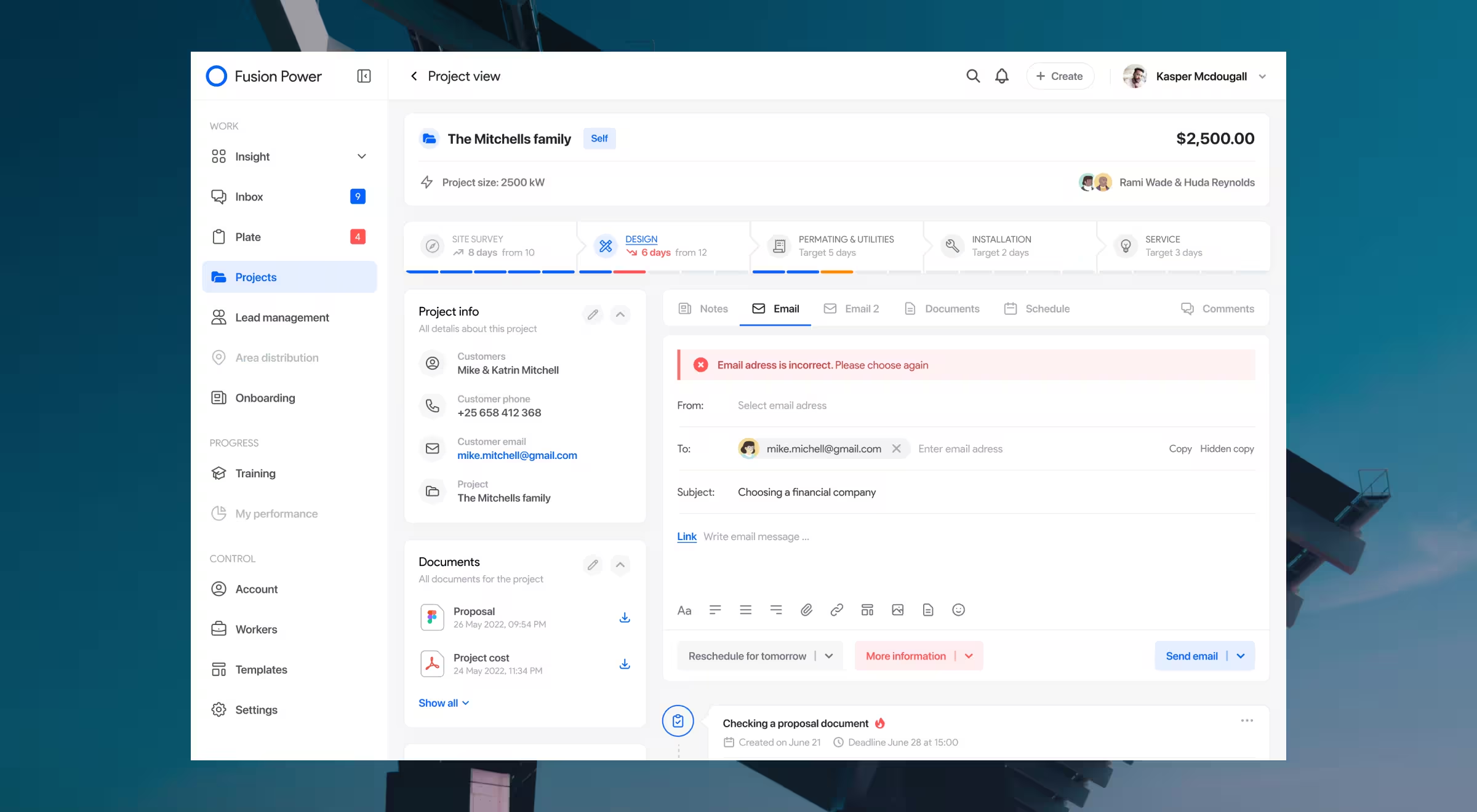
SolarDrive, a U.S.-based solar panel installation provider, ran a complex project workflow spanning sales, documentation, permitting, and installation.
But each stage relied on a different third-party tool, causing delays, missed context, and siloed communication. Lazarev.agency was brought in to streamline operations by building a single enterprise platform that covered the entire project lifecycle.
A solar workflow held together by workarounds
Before the redesign, SolarDrive’s teams were scattered across five different platforms, each one handling a separate part of the installation process. Sales, planning, engineering, inspection they all worked in silos, with no single view of the full journey.
Important updates slipped through the cracks, teams constantly jumped between tools, and too much time was lost just trying to track down information. What SolarDrive needed to bring it all together: one system, one workflow, one source of truth.
Key results our solution brought to the client
- 2× increase in the number of clients served daily.
- 2.4 hours saved per employee, per day, by eliminating cross-platform inefficiencies.
- Reduced project delays, thanks to centralized project views and communication.
- Faster onboarding for new hires through simplified workflows and automation.
How Lazarev.agency’s design changed workflow for SolarDrive
To unify SolarDrive’s operations and improve team efficiency, we delivered a go-to enterprise design that offered:
- Simulated project environments for onboarding and training, helping teams test workflows in a risk-free setting.
- Fully integrated project history on a single dynamic page, eliminating context gaps between departments.
- Centralized internal communication, so team members could collaborate in-platform without switching tools.
- Process automation for routine tasks like status updates, file collection, and permitting notifications.
- Scalable infrastructure to support growing client volume without growing overhead.
Anna Demianenko, Lead Designer at Lazarev.agency, mentions: “The challenge was mainly behavioral. We had to design a system people actually wanted to use every day, across roles. That meant making complex processes feel intuitive, even invisible.”
Design that unifies, then multiplies
For SolarDrive, platform fragmentation was more than an annoyance, it was a growth limiter. By bringing all project stages into one system, Lazarev.agency helped teams work faster, reduce friction, and serve more clients without adding headcount.
🔍 Read the full case study.



.webp)